
Lens Distortion - STMap INVERT
This is a quick tutorial in case you want to get the Inverse of the STMap used, for example, for the Lens Distortion.
In case you have only the UV-STMap for the undistort and you want to create the distort STMap, this is the solution for you.
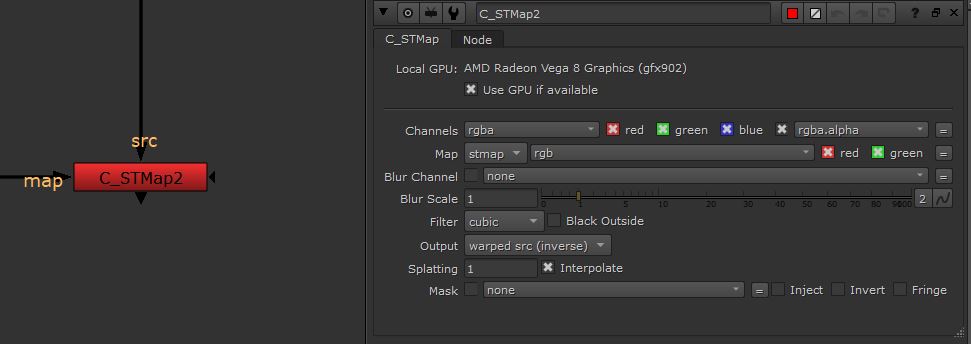
There are 2 solutions: the first one using the Expression node and the second one with the C_STMap node available in Nuke 12+ (this solution comes from Alessio Oliverio)
You can download the .nk script with an example of each solution:
Download Nuke Script
Useful Links
- https://community.foundry.com/discuss/topic/97984/
- https://learn.foundry.com/nuke/content/reference_guide/cara_vr/c_stmap.html
- https://benmcewan.com/blog/2020/02/02/demystifying-st-maps/
In the script you will find this tree with 2 solutions: the first one with the Expression Node and the other one with the new node C_STMap contained in the CaraVR menu (Nuke12+)
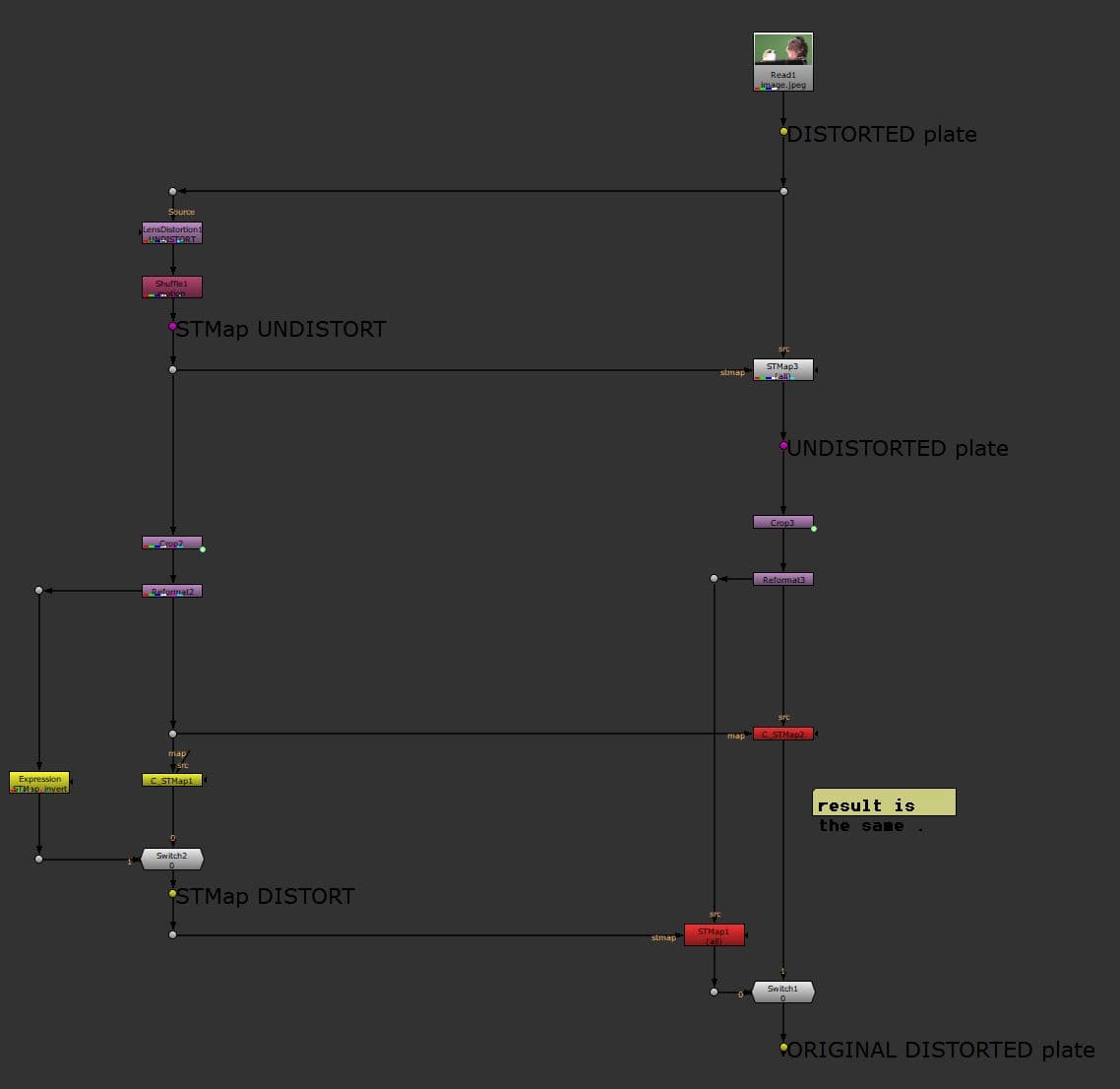
In both solutions, you start from the STMap/UVMap coming from the Lens Distortion node or an external software. With this script you will get the inverted STMap/UVMap.
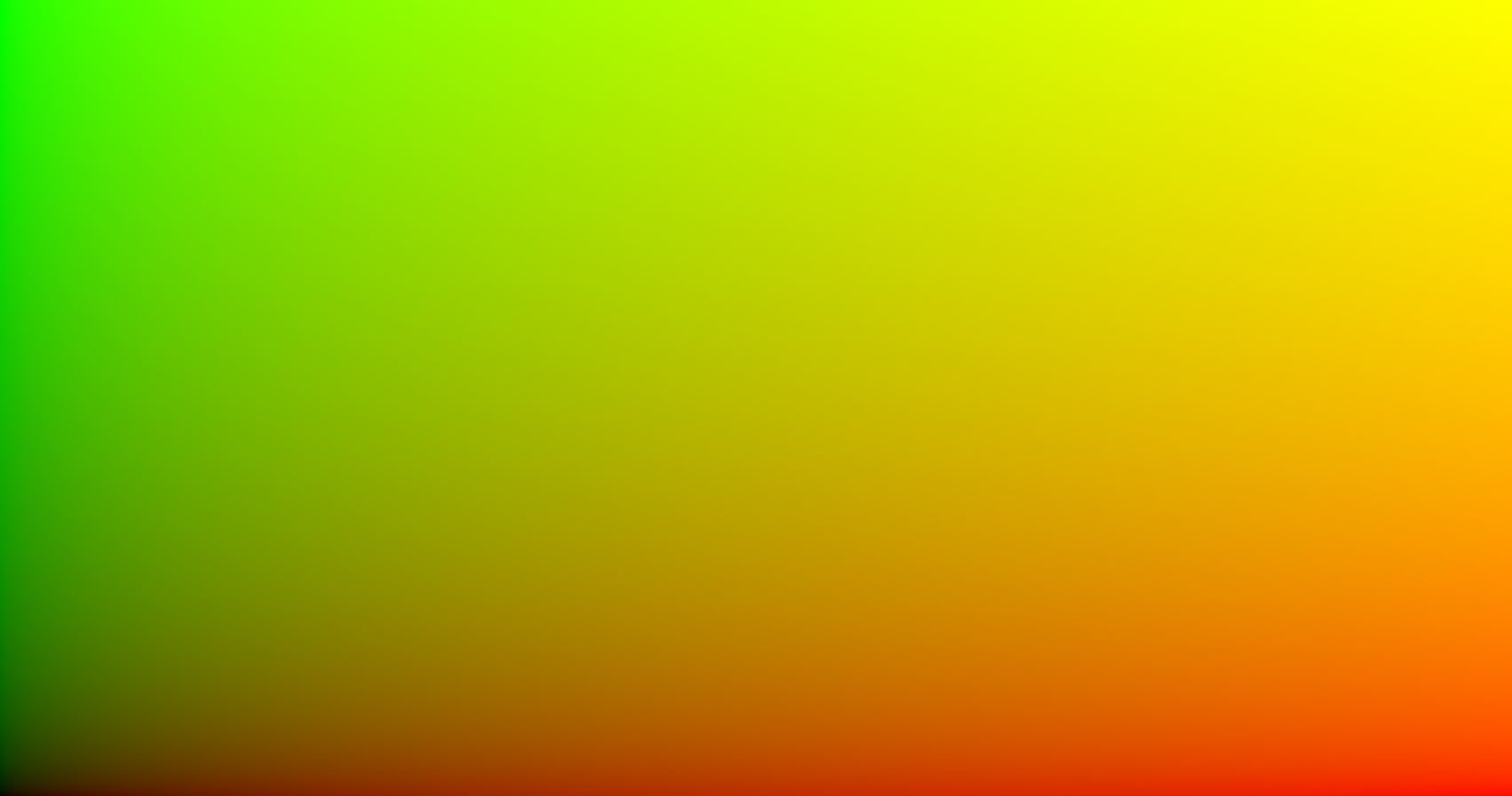
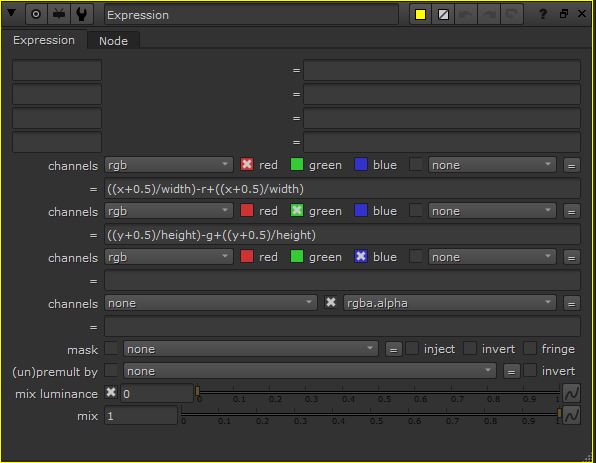
SOLUTION 1: EXPRESSION NODE
With the UVMap as input of the Expression node, you get the inverted UVMap as output. Using the node STMap to apply the transformation, you will see the result.
Show/Hide node script
SOLUTION 2: C_STMap
This is a newer tool that comes with the CaraVR menu in Nuke.
In the example below, C_STMap is connected directly to the UVMap (src input is free). The output will be the inverted UVMap that you can use with the STMap node.
Show/Hide node script
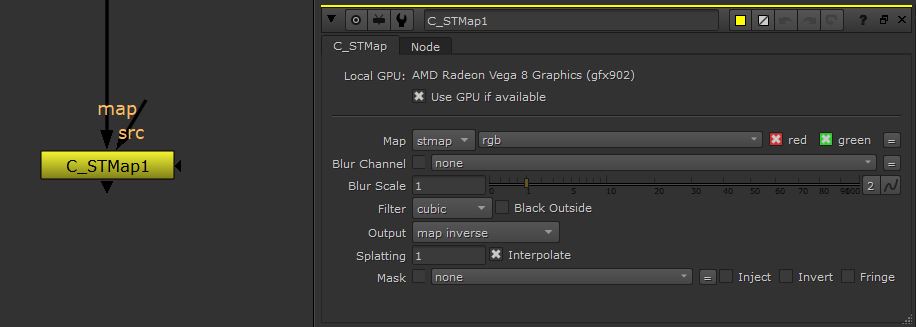
Or you can also connect src directly to your footage and map to the UVMap. The output will be your footage with the distortion inverted (without the use of the STMap node)
Show/Hide node script